

To run the Honey Bee IPTV service on your Formuler Box, simply use MYTV Online 3 App or MYTV Online 2 App. Follow the steps below for easy setup:
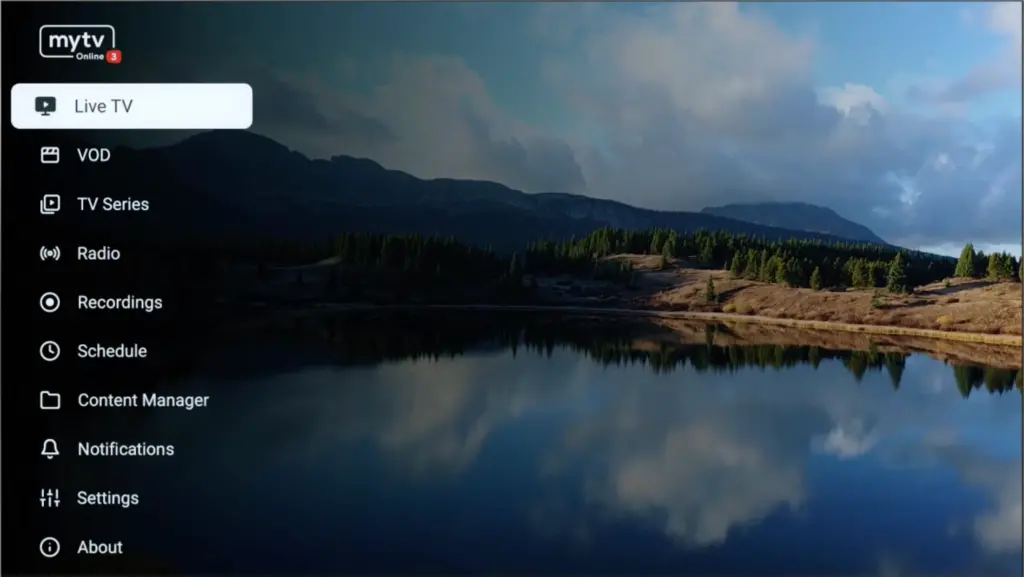
Step 1: Open MYTV Online 3.
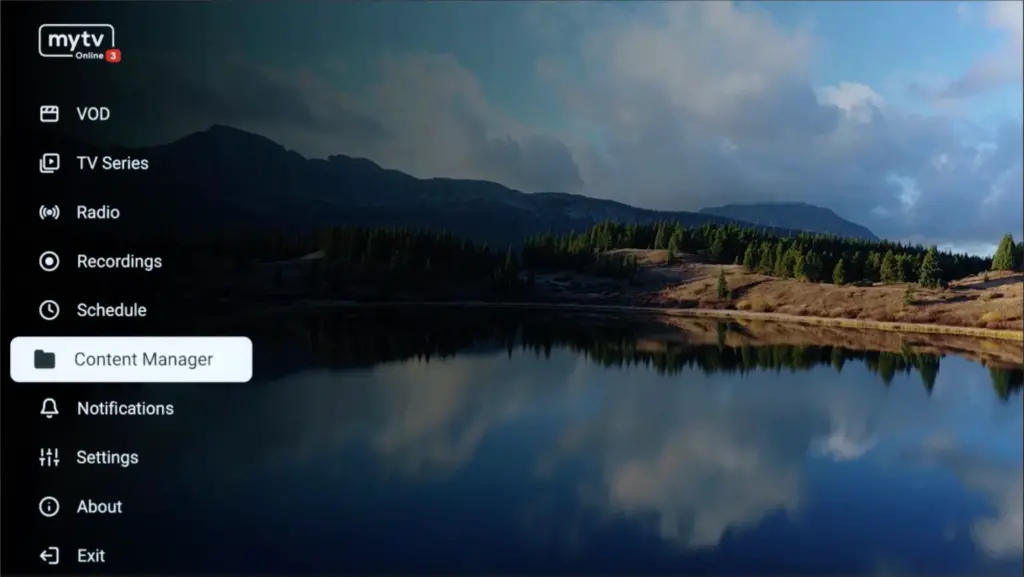
Step 2: Go to Content Manager Then Go to Content sources > +Add.
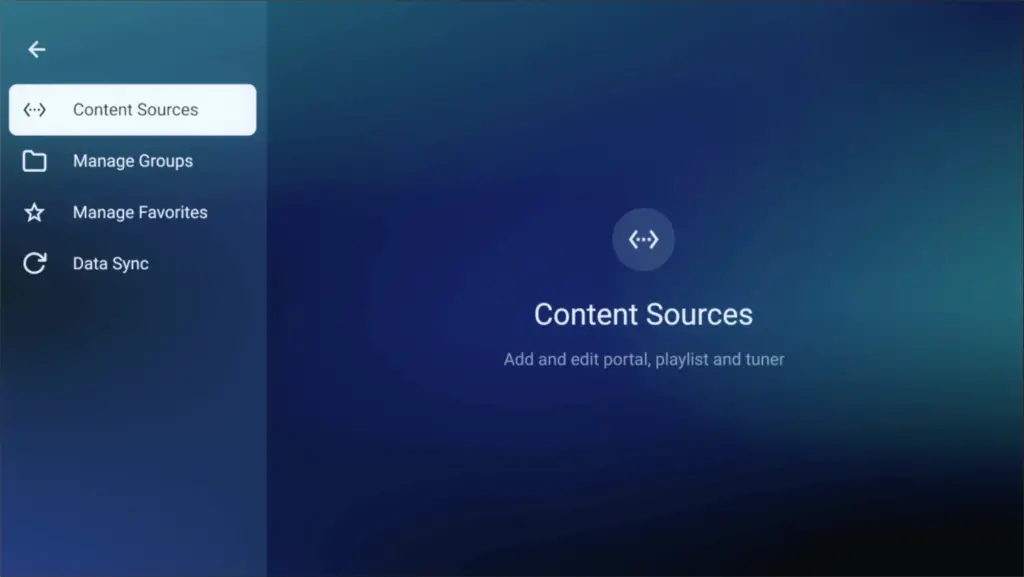
Step 3: Select “Add Portal” (Highly recommended) to set device as a MAC base device like MAG boxes.
Here you have an ID of your box, Click on the eye icon to see the full MAC address (or you can find it at the bottom of your box. Look for a label that says “MAC” or “MAC Address”). After payment, submit the Form with your device’s MAC address. This step is essential for activating your Honey Bee IPTV subscription. Get Your Honey Bee IPTV Subscription.
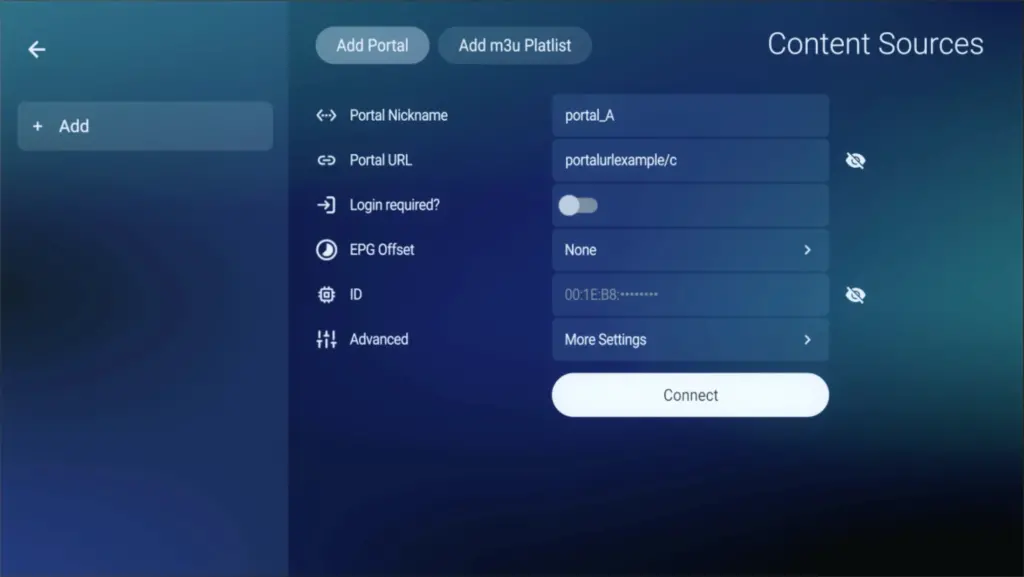
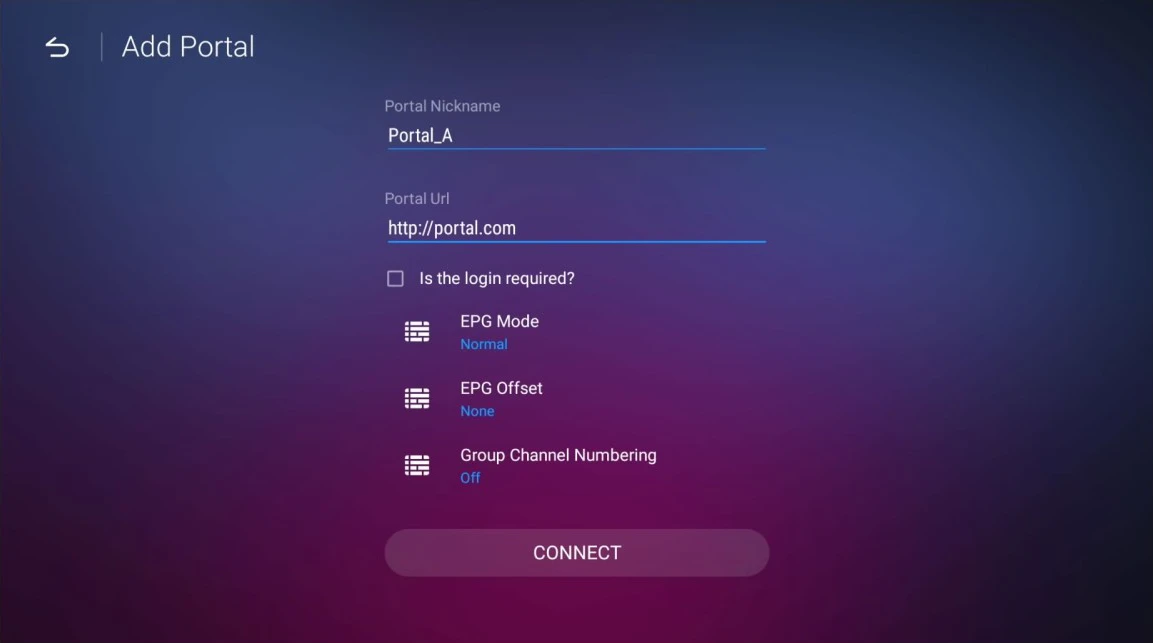
Step 4: Enter “Honey Bee IPTV” as the Portal Nickname in the first box. Then in the second paste the Portal URL provided by us after subscribing and Click on “CONNECT”.
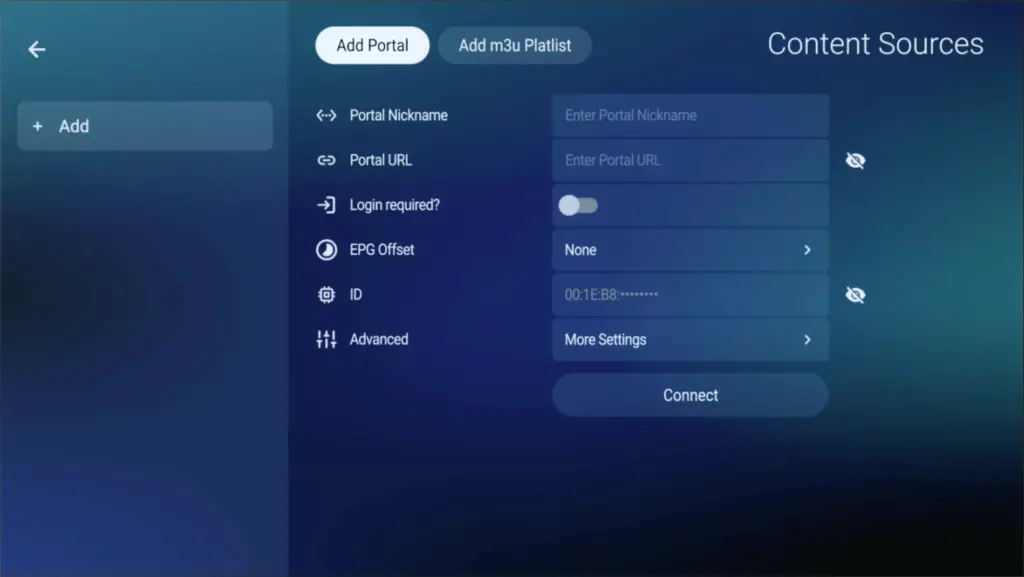
Congratulations! You’ve now completed the setup of MYTV Online 3 for seamless streaming.
Step 1: Open MYTV Online 2.
If you don’t have this application on your device you can download it from the Market Store or from the Google Play store.
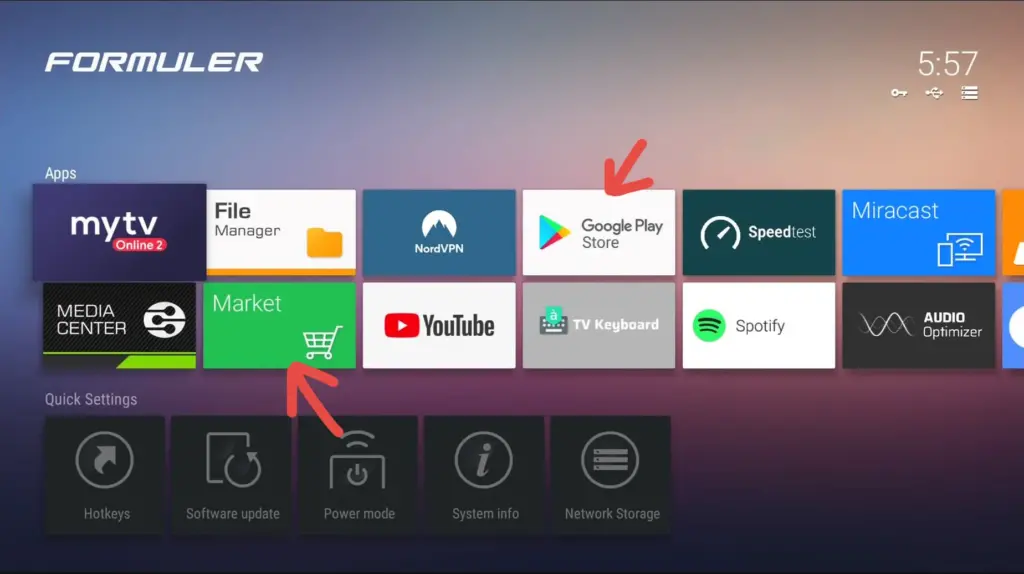
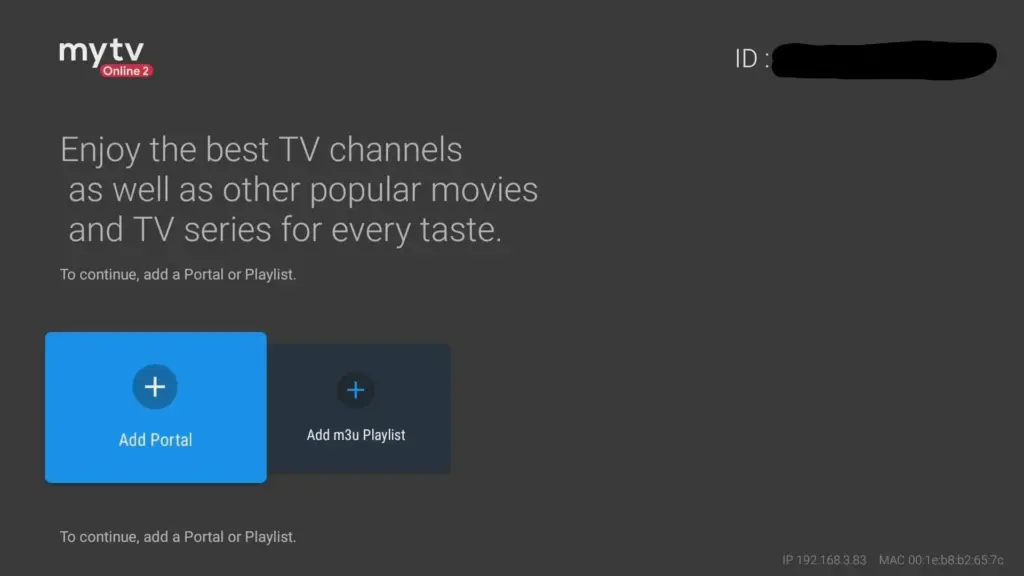
Step 2: Open MYTV Online 2 and Go to Menu > Connections.
Step 3: Select “Add Portal” (Highly recommended) to set device as a MAC base device like MAG boxes.
Locate the MAC ID of your box at the top right of this page. After payment, submit the form with your device’s MAC ID. Replace the 00:1E:B8:XX:XX:XX from the MAC Address (you can find it at the bottom of your box) with 00:1A:79:XX:XX:XX to obtain the MAC ID. This step is essential for activating your Honey Bee IPTV subscription. Get Your Honey Bee IPTV Subscription.
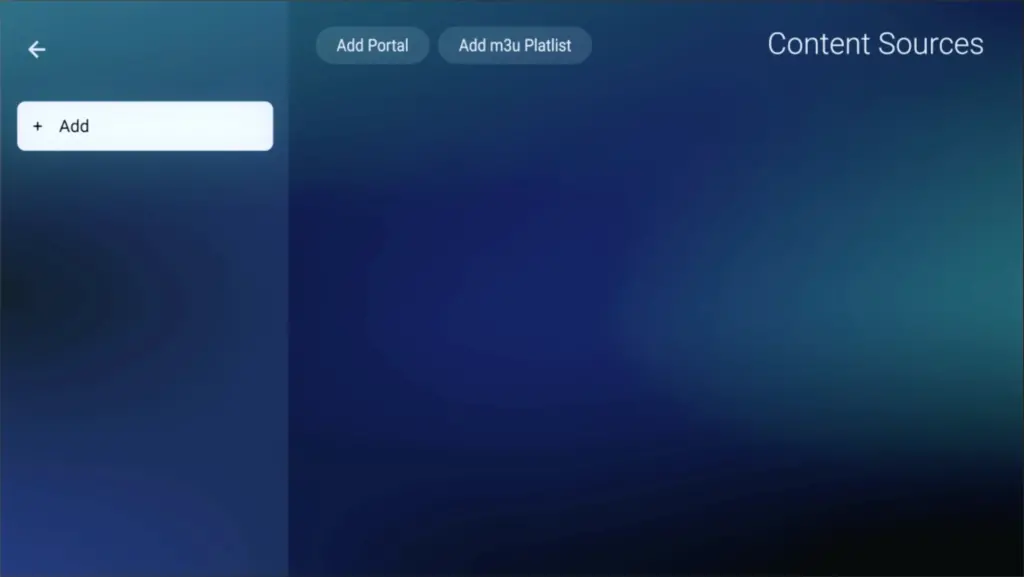
Step 4: Enter “Honey Bee IPTV” as the Portal Nickname in the first box. Then in the second paste the Portal URL provided by us after subscribing and Click on “CONNECT”.
Congratulations! You’ve now completed the setup of MYTV Online 2 for seamless streaming.
Honey Bee IPTV on Formuler Box: Tips & Troubleshooting
"Connection Error" on MyTVOnline?
Verify that your MAC ID registered with Honey Bee IPTV uses the 00:1A:79 prefix instead of the default Ethernet MAC. Also confirm your Portal URL starts with http:// and has no trailing spaces.
Enable Cloud EPG & Fast Channel Switching
Inside MyTVOnline 3 settings, turn on Group Channel Numbering and Cloud EPG Sync for zero latency when surfing sports and premium movie channels.
USB Recording & Timeshift Setup
Format any external USB stick or SSD as NTFS/exFAT, plug it into the Formuler USB 3.0 port, and select it under Storage Settings to record live TV seamlessly.
Honey Bee IPTV on Formuler Box: Frequently Asked Questions
What is MyTVOnline and do I need anything else?
MyTVOnline is Formuler's built-in player. Versions 2 and 3 both take Honey Bee IPTV Xtream Codes directly, so no extra app is required.
Which Formuler models does this cover?
The Z8, Z10, Z11, and CC series all run MyTVOnline 2 or 3, and the steps above work on each of them.
Can I install TiviMate on a Formuler box instead?
Yes. Formuler boxes run Android, so TiviMate and IPTV Smarters Pro install normally and use the same Honey Bee IPTV login.
How do I load the TV guide?
MyTVOnline pulls the guide along with the playlist. If it is blank, open the portal settings, refresh the Honey Bee IPTV playlist, and give it a minute to download.