
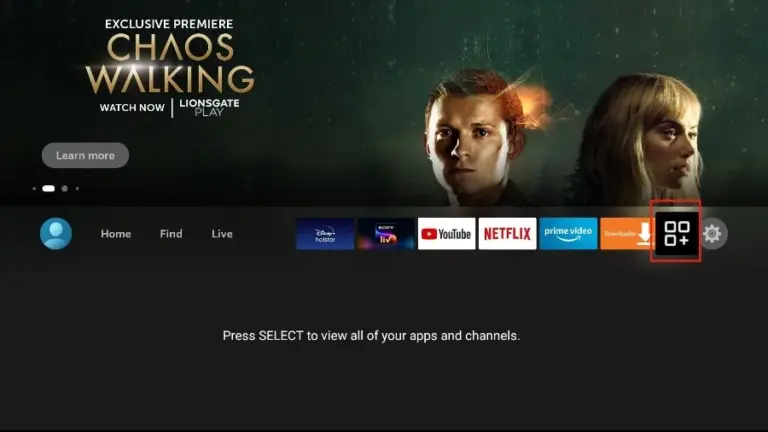
1. Go to the Apps menu page from the FireStick Home page.
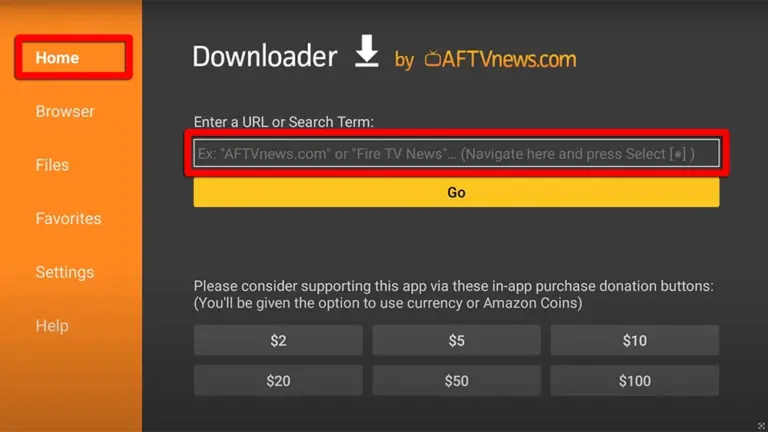
2. Open the Downloader app and select Enter a URL on the Home screen.
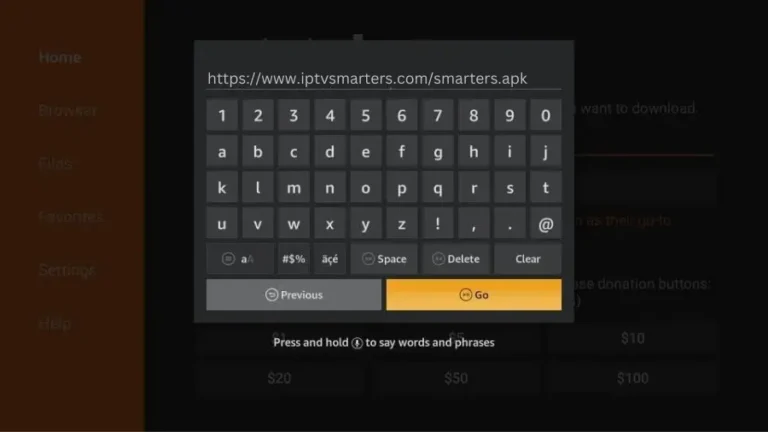
3. Type the following URL exactly as how here: https://www.iptvsmarters.com/smarters.apk and Click "GO"
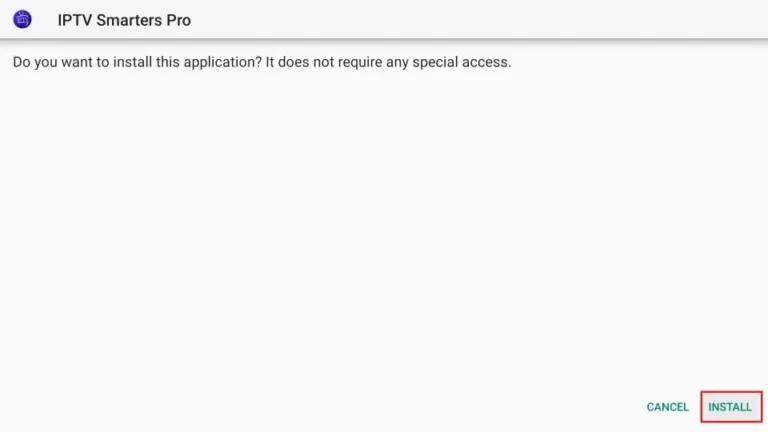
4. When the download is complete, the Downloader app runs the APK file and installation begins. Click "Install".
There are two ways to do this. Either using the Xtream Codes API (Username, Password and server Address) or using the M3u playlist. For a smoother setup experience, we recommend setting up via Xtream Codes API as it offers an integrated EPG system to enhance your streaming experience.
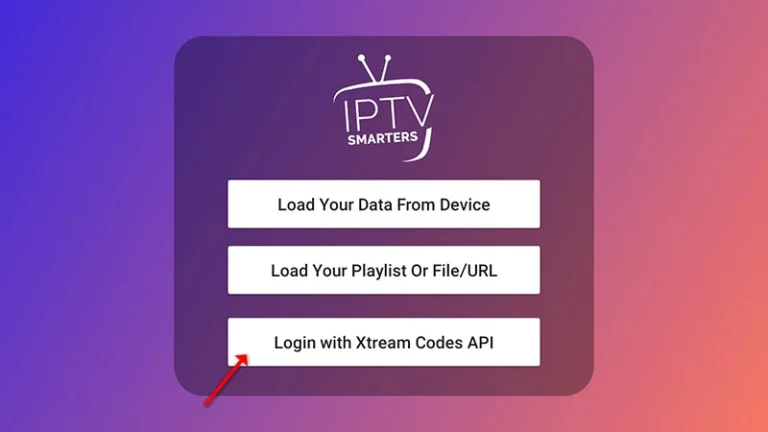
Step 1: Open the app once downloaded and click on "Add user" then click on "Login with Xtream Codes API".
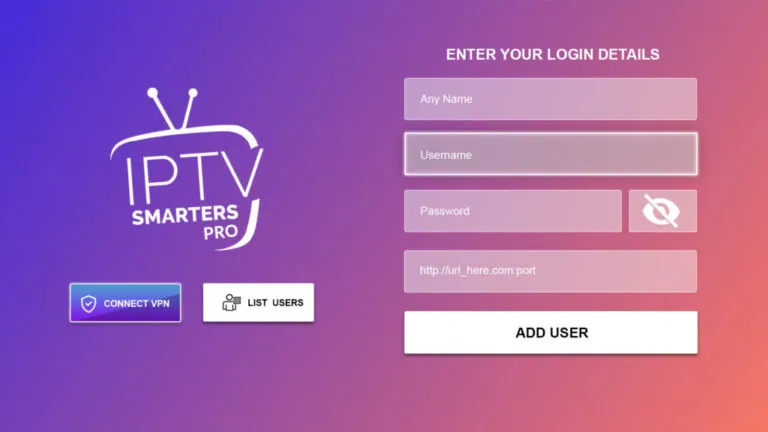
Step 2: Enter "Honey Bee IPTV" as the Name in the first box. Then in the second, third, and fourth boxes, input the Xtream Codes login credentials (Username, Password and URL (Server address)) provided by us after subscribing. Finally click on "ADD USER". Get Your Honey Bee IPTV Subscription.
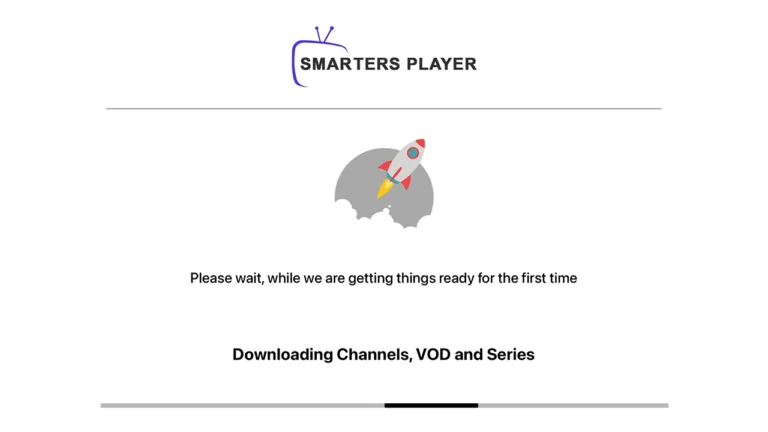
Step 3: Wait some seconds.
Step 4: Once logged in, access the user list screen and select your newly created profile, as demonstrated in the accompanying images.
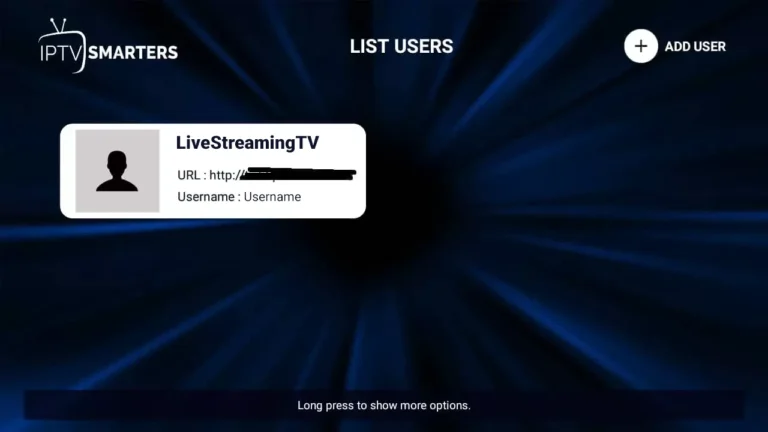
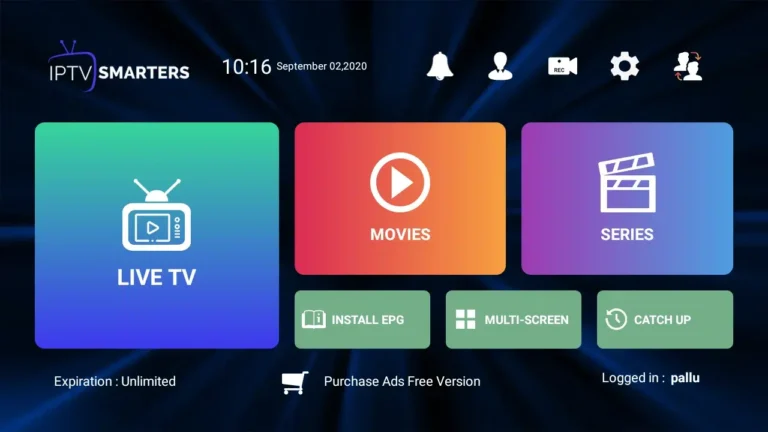
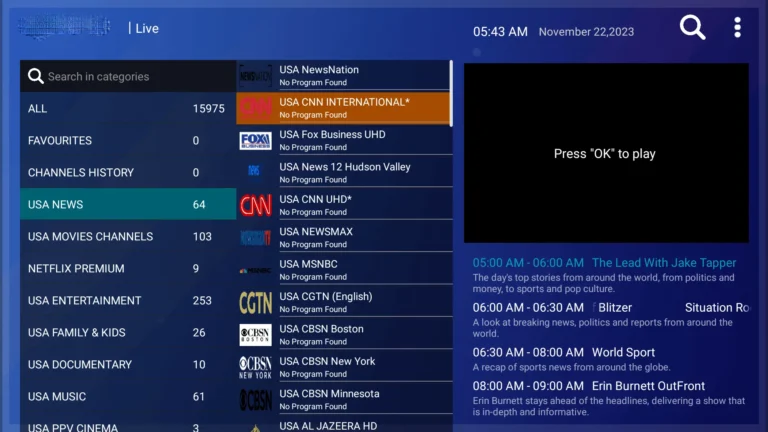

Congratulations! You've now completed the setup of the IPTV Smarters Pro app for seamless streaming.
Honey Bee IPTV on Smarters Pro: Firestick Troubleshooting
"Invalid Details" error when logging in?
Verify that your Server URL includes http:// and the correct port without trailing slashes. Username and password are case sensitive.
Multi-Screen / Split Screen on Firestick?
From the IPTV Smarters Pro main dashboard, click on MULTI-SCREEN to watch up to 4 live sports games simultaneously.
EPG TV Guide Refresh?
Click on INSTALL EPG from the dashboard, then select Refresh EPG to fetch the latest electronic program schedule.
Honey Bee IPTV on IPTV Smarters Pro: Frequently Asked Questions
How do I install Smarters Pro on Fire TV?
Turn on "apps from unknown sources", install Downloader from the Amazon store, and enter the code given in the steps above. Smarters Pro is not in the Fire TV store, so Downloader is the route.
What is the difference between Smarters Pro and Player Lite?
Lite is the newer, slimmer build; Pro exposes more playback settings. Both accept Honey Bee IPTV Xtream Codes, so use whichever installs cleanly on your Firestick.
How do I stop the stream buffering?
Clear the Smarters Pro cache, leave around 500MB of storage free, and use 5GHz Wi-Fi. On a first-generation Fire TV Stick, cap Honey Bee IPTV at 1080p rather than 4K.
How soon do my channels appear after logging in?
Straight away. Smarters Pro pulls the full Honey Bee IPTV channel list and TV guide the moment your Xtream Codes are accepted, usually in well under a minute.